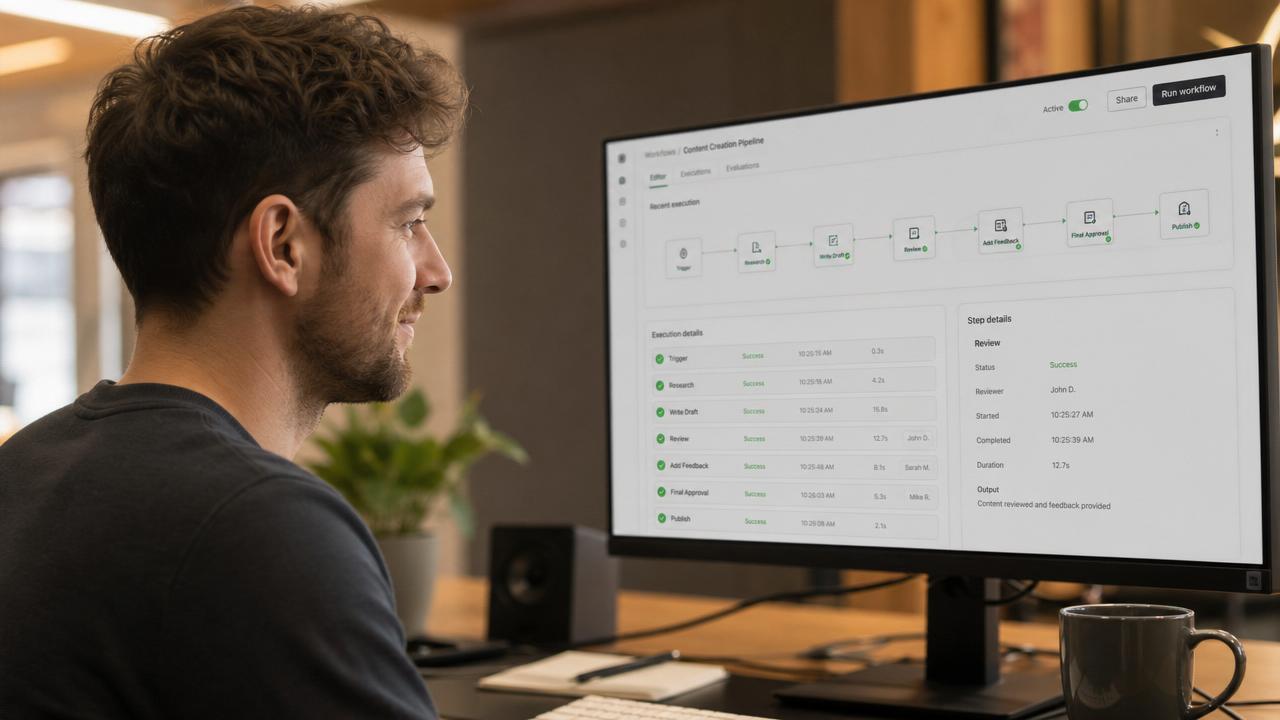
You eliminate duplicate data entry by giving each piece of business information one authoritative home and letting connected workflows reuse it everywhere else. We do that by mapping where data first enters the business, replacing repeated forms and manual handoffs, and automating updates across the people, documents, approvals, and systems that need the same record.
The problem is rarely that employees do not understand how to copy information correctly. Duplicate entry usually exists because the business has accumulated separate tools and processes that each demand their own version of the same customer, project, employee, order, or invoice data.
What duplicate data entry reveals about a business
Repeated entry is a visible symptom of a disconnected operating model. A customer submits information through a website, an employee transfers it into a spreadsheet, another person creates a CRM record, and someone in accounting types part of it into a financial system. Each step may appear reasonable by itself, but the complete process creates avoidable work and conflicting records.
This is closely related to breaking down data silos, but the two problems are not identical. A business can make information visible across departments while still requiring employees to re-enter it. Eliminating duplicate entry requires both shared data and workflows designed to reuse that data.
Why does duplicate data entry keep returning?
Duplicate entry returns when we automate individual tasks without redesigning the full process. A new form may improve intake, for example, but it does not solve the problem if employees still copy every submission into several downstream tools. We need to follow the information from its first point of entry through every later action, decision, document, and report.
Is duplicate data entry the same as duplicate records?
No. Duplicate data entry is the act of typing or importing the same information more than once, while duplicate records are conflicting copies created or maintained in different places. The first often causes the second. Preventing both requires an authoritative record, clear ownership, and rules governing how connected workflows update that record.
Design the workflow around a single point of entry
The strongest solution is not a faster copy-and-paste process. It is a workflow in which data enters once, becomes part of a structured record, and remains available to every authorized step that follows.
Where should information enter the business?
Information should enter as close as possible to its original source. Customers can submit their own details through a portal or conditional form. Employees can record field activity in the operational workspace where the work occurs. Vendors can maintain relevant information through controlled interfaces. Integrations can receive data from systems that must remain in place.
A well-designed entry point should collect only what is required at that stage. Our conditional form builder capabilities can reveal relevant questions based on earlier answers, while a connected platform can request additional information later without asking for facts already on file.
- Customer information should become part of the customer record.
- Project information should populate the project workspace.
- Approved pricing should flow into proposals and billing records.
- Employee details should carry into onboarding and internal operations.
- Order information should remain connected to fulfillment and service history.
How should data move after it is entered?
Data should move through relationships, workflow rules, and controlled integrations rather than manual transcription. A submitted request can create a record, assign an owner, start an approval, generate a document, schedule a follow-up, and update a dashboard without requiring someone to rebuild the same information at every stage.
This is the practical difference between isolated task automation and the broader approach described in business automation that actually works. We are not merely making one step faster. We are connecting the sequence so that the output of one step becomes reliable input for the next.
What if existing software must remain?
Eliminating duplicate entry does not always require replacing every existing system. A custom platform can become the operating layer that coordinates information while established financial, communication, or industry systems remain in use. The decision depends on whether a system has dependable integration options, whether it owns a specialized function, and whether maintaining it creates more value than replacing it.
For example, financial system integrations can pass approved customer, invoice, or payment information to the appropriate financial workflow. The goal is to define which system owns each field and how updates travel, rather than allowing every tool to maintain an unrelated copy.
Start with workflows that create the most rework
We recommend starting where the same information crosses several roles or systems. These workflows usually make the underlying fragmentation easiest to see and give the business a clear process boundary for the first implementation.
Which workflows should be fixed first?
The first candidates should combine frequent data reuse, multiple handoffs, and meaningful operational consequences when information is delayed or inconsistent. We map what enters the workflow, who touches it, where it is copied, what decisions depend on it, and what final records or documents it produces.
- Lead intake followed by qualification, estimating, and sales follow-up
- Customer onboarding followed by project setup and billing
- Purchase requests followed by approval and vendor coordination
- Employee onboarding followed by access, training, and policy records
- Service requests followed by scheduling, completion, and invoicing
- Incident reports followed by investigation and corrective action
A business does not need to automate every workflow at once. It needs an architecture that lets the first workflow become part of a larger platform instead of another temporary point solution. That principle supports the model behind one platform and one login without forcing an immediate, disruptive replacement of everything.
How do approval workflows reduce repeated entry?
Approval workflows preserve the original record while adding decisions, comments, timestamps, and status changes around it. Employees no longer need to create a new spreadsheet row, email summary, or document every time a request moves to another person. Our approval workflow capabilities keep the request and its decision history connected from submission through completion.
That structure also makes responsibility visible. The platform can show what is waiting, who owns the next action, and what information is missing. We avoid forcing employees to reconstruct context from inboxes or ask the requester to provide the same details again.
Implement the change without disrupting operations
Duplicate entry often persists because replacing it sounds riskier than tolerating it. A phased implementation reduces that risk by documenting the current process, defining the future record structure, and moving one complete workflow at a time.
What should be mapped before development begins?
We should map fields, sources, owners, destinations, decision points, exceptions, and permissions. Field names alone are not enough. We need to know what each value means, when it becomes authoritative, who may change it, and what other actions depend on it. Two departments may use the same label for different concepts or different labels for the same concept.
This discovery work prevents us from encoding existing confusion into new software. It also identifies information that should not be collected, old records that need cleanup, and process variations that require explicit handling. The SpinFlow build process turns that operational model into a usable platform rather than asking the business to adapt itself to a generic template.
Can a custom platform be introduced gradually?
Yes. We can launch around one defined workflow, connect required systems, and expand from that foundation. SpinFlow delivers platforms in two to eight weeks, depending on the work involved, but the implementation plan should still respect operational dependencies and the people who use the process every day.
A gradual launch should not mean building disconnected mini-apps. Shared records, permissions, notifications, and reporting should be designed as platform services from the beginning. That allows future workflows to reuse the same customer, employee, vendor, product, or project information.
How do we prevent incorrect data from spreading automatically?
We combine automation with validation and accountability. Reusing information is valuable only when the original record is trustworthy. Required fields, controlled choices, format checks, permission rules, approval gates, and visible change histories help protect the record before downstream workflows rely on it.
- Validation rules stop incomplete or incorrectly formatted submissions.
- Role-based permissions limit who can view or change sensitive fields.
- Approval gates protect consequential actions and updates.
- Change histories show what was modified and when.
- Exception queues route unusual cases to a person instead of forcing an unsafe automated decision.
Our role-based access control capabilities help make the same platform useful across departments without exposing every field or action to every user.
Decide whether configuration or a custom platform fits
Some duplicate entry can be removed by configuring an existing system or adding a dependable integration. The case for a custom platform becomes stronger when the workflow crosses several departments, relies on business-specific rules, combines customer-facing and internal experiences, or has outgrown the assumptions built into packaged software.
When is a custom platform the better option?
A custom platform is the better option when the business needs one operating model rather than another standalone application. We can combine a premium public-facing experience with the records, workflows, permissions, documents, communication, and reporting that run behind it. That is the broader purpose of what we build at SpinFlow.
Buyers comparing implementation paths should also consider who will maintain integrations, how workflow changes will be handled, and whether the selected tools create another fragmented layer. Our comparison of SpinFlow and no-code tools addresses the difference between assembling individual automations and building a maintained business platform.
Make one record do the work of many copies
Eliminating duplicate data entry is ultimately an architecture decision. We establish where information belongs, capture it at the source, connect it to the next action, and give each user an appropriate view of the same underlying record.
The result is a business process that no longer depends on employees carrying information between disconnected screens. If repeated entry is embedded across intake, approvals, operations, and reporting, we can use our operations and administration capabilities to turn that process into one connected platform.